
Cybersecurity Resources
Core Threats & Everyday Risks
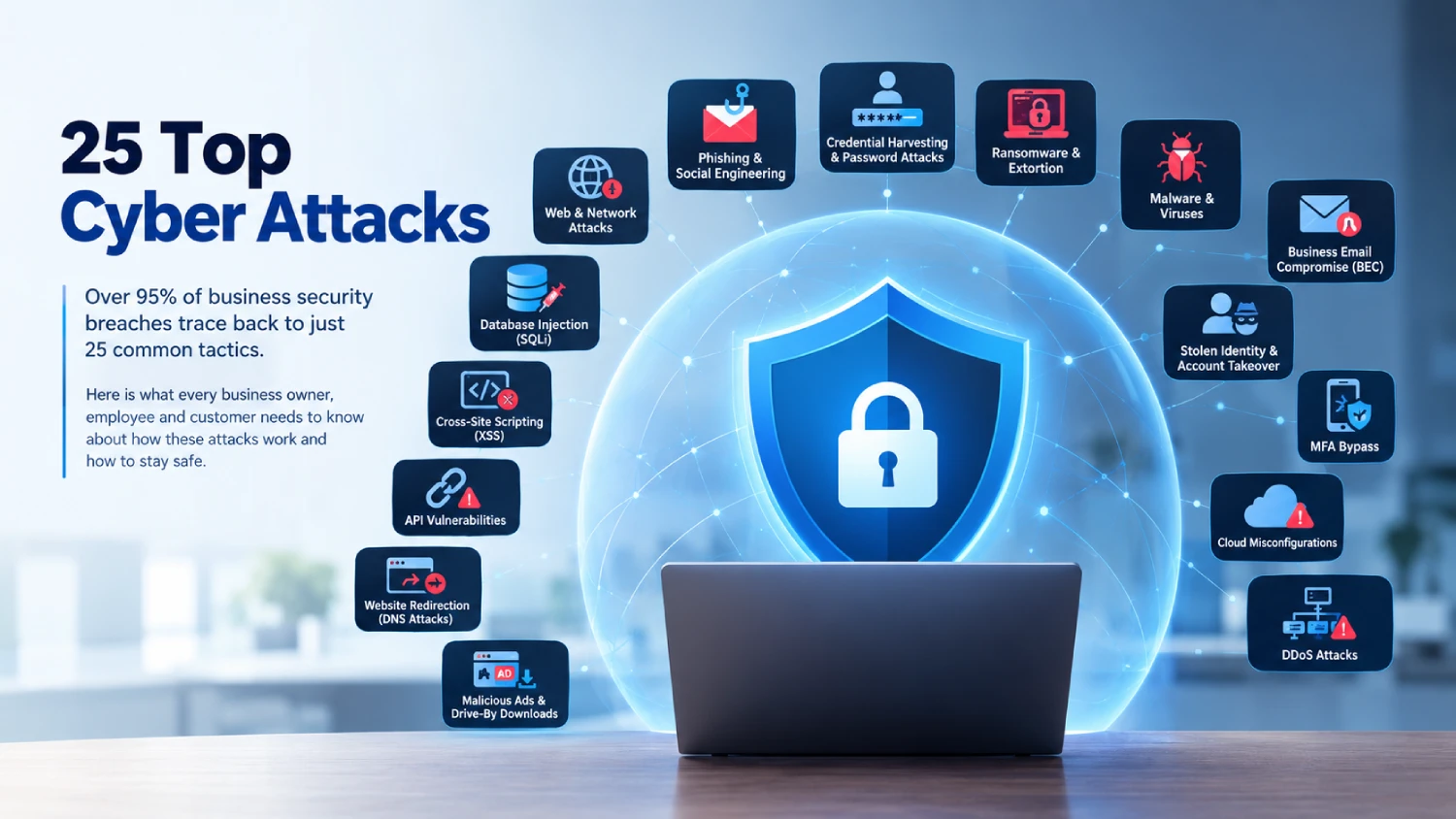
1. Phishing & Social Engineering
Phishing happens when scammers pretend to be trusted colleagues, banks, or popular brands using fake emails, text messages, or phone calls. Their main goal is to trick you into clicking dangerous links, handing over passwords, or sending money. Always double-check sender email addresses and verify urgent payment requests through a separate, trusted channel.
2. Credential Harvesting & Password Attacks
Hackers use automated software to guess simple passwords or test stolen login details across hundreds of different websites. If you reuse the same password everywhere, a single leak can compromise all your accounts. Using strong, unique passwords paired with a reliable password manager keeps your logins secure.
3. Ransomware & Extortion
Ransomware is malicious software that locks up your computer files and demands a cash payment to unlock them. Cybercriminals often threaten to publish confidential business data online if you refuse to pay. Keeping frequent offline backups ensures you can restore your files without ever paying a ransom.
4. Malware & Viruses
Malware is an umbrella term for harmful software—including viruses, spyware, and Trojans—that sneaks onto your device to spy on your typing, delete files, or corrupt your system. Avoid downloading unknown email attachments, and keep automatic antivirus protection active on all business devices.
5. Business Email Compromise (BEC)
In a BEC attack, a fraudster impersonates an executive, manager, or vendor to trick an employee into wiring company money into a fake bank account. Because these plain-text emails rarely contain suspicious links, security filters often miss them. Protect your organization by requiring verbal confirmation before approving any financial transfer.
6. Stolen Identity & Account Takeover
Once hackers break into a corporate network, they search for saved login tokens and elevated privileges to impersonate company administrators. This allows them to move freely across internal systems without raising red flags. Limiting administrative access to only those who strictly need it drastically reduces this risk.
7. Multi-Factor Authentication (MFA) Bypass
Scammers bypass two-step verification by spamming your phone with login approval prompts until you accidentally hit “Accept” out of frustration. Other tactics involve stealing login cookies directly from your web browser. Using authenticator apps or physical security keys instead of SMS codes stops these bypass attempts.
8. Cloud Security Misconfigurations
Moving business files to cloud services like AWS or Google Cloud is convenient, but default settings can leave sensitive folders open to the public web. Cybercriminals constantly scan the internet for exposed cloud databases. Regularly auditing your cloud privacy settings ensures only authorized users can view internal files.
Web, Application & Network Attacks
9. Database Injection (SQLi)
Injection attacks occur when web applications fail to filter user input on forms, allowing hackers to type malicious database commands straight into search or login boxes. This gives attackers unauthorized access to private customer lists and records. Developers prevent this by thoroughly testing and sanitizing all web forms.
10. Cross-Site Scripting (XSS)
Cross-Site Scripting happens when attackers plant hidden malicious code inside a legitimate website. When visitors browse the affected page, the rogue script runs silently in their browser to steal session cookies or personal details. Keeping website software updated and using security headers protects site visitors.
11. API & Web App Vulnerabilities
APIs act as digital bridges that allow mobile apps and websites to talk to company databases. If an API is poorly secured, hackers can bypass normal login screens and pull thousands of user records at once. Securing APIs requires strict authentication and limits on how much data can be requested at one time.
12. Denial of Service (DDoS)
A DDoS attack acts like a digital traffic jam: hackers overwhelm a website with vast amounts of fake internet traffic until the server crashes. This prevents real customers from accessing your site or online store. Using cloud-based DDoS protection services helps filter out malicious traffic spikes automatically.
13. Man-in-the-Middle (MitM) Eavesdropping
In a MitM attack, a cybercriminal secretly intercepts internet traffic passing between two points—often on unsecured public Wi-Fi networks. This allows them to view sensitive passwords or credit card numbers typed online. Always use encrypted websites (HTTPS) and corporate VPNs when working remotely.
14. Fake Form Submissions (CSRF)
Cross-Site Request Forgery tricks a logged-in user into unknowingly performing actions on a trusted website—such as changing an account email or submitting a money transfer. Modern web applications prevent this risk by using hidden security tokens that verify every request comes directly from the actual user.
15. Website Redirection (DNS Attacks)
The Domain Name System (DNS) acts as the phonebook of the internet, converting domain names into numerical IP addresses. Hackers tamper with these routing directories to secretly redirect visitors trying to reach your website to a fake, malicious duplicate instead. Enforcing secure DNS settings stops unauthorized address changes.
16. Malicious Ads & Drive-By Downloads
Drive-by downloads infect your computer with malware automatically just by visiting an infected web page or clicking a fake online ad—no file downloads required. Scammers exploit outdated web browsers to drop their payloads silently. Keeping your internet browsers and operating system continuously updated blocks these automatic installs.
Advanced, Supply Chain & Physical Threats
17. Fileless Malware
Unlike traditional viruses that save files onto your hard drive, fileless malware runs entirely in your computer’s temporary memory (RAM). It hijacks built-in administrative tools like Windows PowerShell to execute commands without triggering standard antivirus software. Detecting it requires advanced endpoint monitoring tools that track unusual system behavior.
18. Zero-Day Flaws
A zero-day is a newly discovered software vulnerability that hackers exploit before the software developer even knows it exists, leaving zero days to prepare a fix. Businesses defend against these unknown flaws by layering their defenses so that breaking through one system doesn’t grant access to the whole network.
19. Supply Chain & Vendor Risks
Hackers often target smaller third-party vendors or software providers to gain a backdoor entry into larger partner businesses. If a trusted software tool you use gets compromised, your network becomes vulnerable too. Regularly auditing the security practices of external suppliers reduces your exposure to vendor breaches.
20. Insider Threats
Insider threats stem from current employees, contractors, or former staff members who misuse their assigned system access—either intentionally to steal company IP or accidentally through poor security habits. Enforcing clear permission controls and immediately revoking access when staff depart protects critical company assets.
21. Direct Data Theft & Leaks
Instead of locking files with ransomware, some hackers simply steal confidential customer files and demand a payment under threat of releasing the data publicly. Organizations safeguard against data leaks by encrypting sensitive files both in storage and whenever they are transferred over the network.
22. Smart Device (IoT) Attacks
Office smart devices like connected security cameras, printers, and smart TVs often ship with weak default passwords and minimal built-in security. Hackers compromise these devices to gain an entry point into your main business network. Always place smart office hardware on a separate, isolated Wi-Fi network.
23. AI & Deepfake Exploits
Cybercriminals use artificial intelligence tools to craft convincing phishing emails, clone executive voices over phone calls, or generate deepfake video content to trick employees into releasing funds. Training staff to verify unusual requests through established verbal procedures stops AI-driven impersonation frauds.
24. On-Site Physical Intrusions
Cybersecurity isn’t just digital—hackers can physically enter your building by tailgating behind employees, dropping malicious USB drives in common areas, or tampering with unattended laptops. Strong physical access controls, visitor badging, and a strict clean-desk policy ensure on-site hardware stays secure.
25. Cryptojacking
Cryptojacking happens when attackers secretly install software on your office computers or cloud servers to harvest computing power for mining cryptocurrency. While it doesn’t steal data directly, it causes systems to slow down, overheat, and spike your electricity bills. Tracking unexpected spikes in CPU usage helps catch hidden mining scripts.